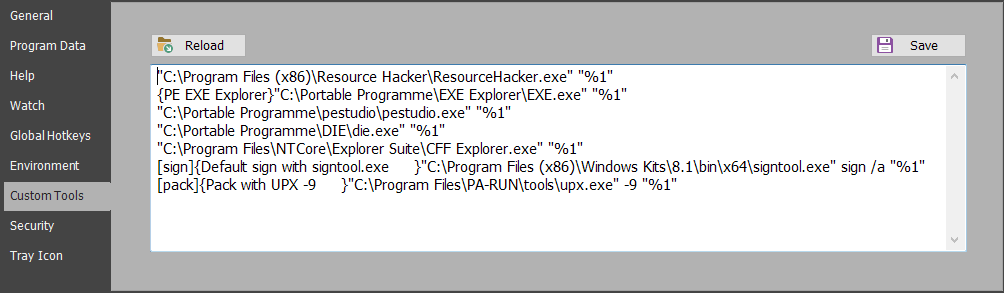
This option allows you to configure applications to process program files from PA-RUN. This means you can send a program file from PA-RUN to such an application. Such applications could be e.g. a local malware-checker, a specialized resource editor, a specialized disassembler, etc.
The program can be sent to these applications from various locations in PA-RUN:
•From the "Send to..." popup menu of the Program watch edit-field and from the popup menu of the Program/Parameters edit-field:
 Clicking this menu item displays the SendTo popup-menu containing the applications configured here on this Options page, for example:
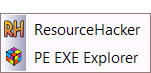
•From right-clicking a program in the History-List also displays the SendTo popup-menu which will send the selected History program to the clicked application.
•From the context-menu of the Program Search window.
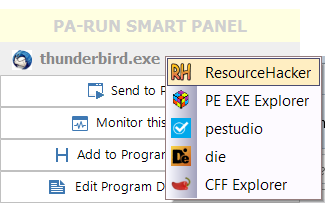
•From the PA-RUN SmartPanel, by right-clicking the program-name label:
So how can the applications be configured on this Options page?
•Insert exactly one application path per line in the text-area.
•If the application path contains spaces then the application path must be enclosed in "double quotes".
•After the application path insert one space character and then this text: "%1".
•The menu-item will display the program name extracted from this text line. However if you want you can instead display a custom menu-item caption by inserting it between curly brackets at the beginning of the text line (see the screenshot above):
{My custom menu item caption}"C:\My custom tools\MyTool.exe" "%1"
Example for configuring a Compression program:
[pack]{Compress with UPX -9}"C:\Program Files\My Packers\upx.exe" -9 "%1"
•[pack]: This tool is applied to the currently loaded program by clicking the disabled Compressed Security Icon 
•{Pack with UPX -9}: This is your custom caption of the menu item: 
•"C:\Program Files\My Packers\upx.exe": Compression program path (use double-quotes if it contains a space). Add a space after this.
•-9: Any parameters for this compression program (divided by spaces). Add a space after this.
•"%1": This will be replaced by PA-RUN with the currently loaded program.
Please also read on the Security Icon Controls page how you can configure custom menus to sign and compress the currently loaded program.
▶ You must restart PA-RUN for this configuration to take effect.